How to Upscale Hindu Devotional Art & Deity Photos to 8K/10K Without Changing the Face
See ResLeap comparisons for Hindu devotional art and deity photos, with guidance on upscaling Krishna images for wallpapers and framed prints.
Quick answer
Need to enlarge Hindu devotional art up to 8× (10K / 10240px) without messing up the face, tilak, or hands? Try ResLeap V2. It keeps the original look intact while giving you sharp 4K wallpapers and 300 DPI pooja room prints up to 34 inches.
Maybe you generated a 1K-2K image in Midjourney or Flux that looks great on your phone, but isn't big enough to frame. Maybe you saved a compressed WhatsApp or Pinterest god photo, or you want to print a cherished photo of Shirdi Sai Baba, a temple murti (Tirupati Balaji, Khatu Shyam Ji), or a classic Tanjore / Raja Ravi Varma painting. Regular resizing makes these images blurry, and picking the wrong AI upscaler can ruin them even faster.
Why Most AI Upscalers Mess Up Devotional Images
Many AI upscalers and photo-fix apps don't just sharpen your picture. Instead, they try to "guess" and redraw missing parts using everyday portrait photos. On Hindu devotional art, that usually goes wrong in four ways:
- It changes the face: You want your temple’s murti, an authentic Sai Baba portrait, or the exact face you spent 20 AI prompts getting right. Aggressive upscalers quietly tweak the eyes, nose, and smile until it looks like a completely different person.
- It wipes away tilaks and markings: Skin-smoothing filters often think a namam, tripundra (three ash lines), or bindi is a skin blemish and blur it right off.
- It puts fake human skin on statues: Portrait apps love adding realistic pores and shiny skin onto brass idols, stone carvings, and painted canvas.
- It tangles hands and jewelry: Four- or eight-armed deities (like Maa Durga or Lord Vishnu), rudraksha beads, peacock feathers (mor pankh), and flower garlands easily melt together when an AI guesses too much.
How ResLeap V2 Keeps It Real (Before & After)
ResLeap V2 works differently. Instead of inventing a brand-new face, it builds crisp detail straight from what’s already in your image, scaling cleanly up to 8× (10K) while keeping the original darshan intact.
Here is what that looks like on real devotional images:
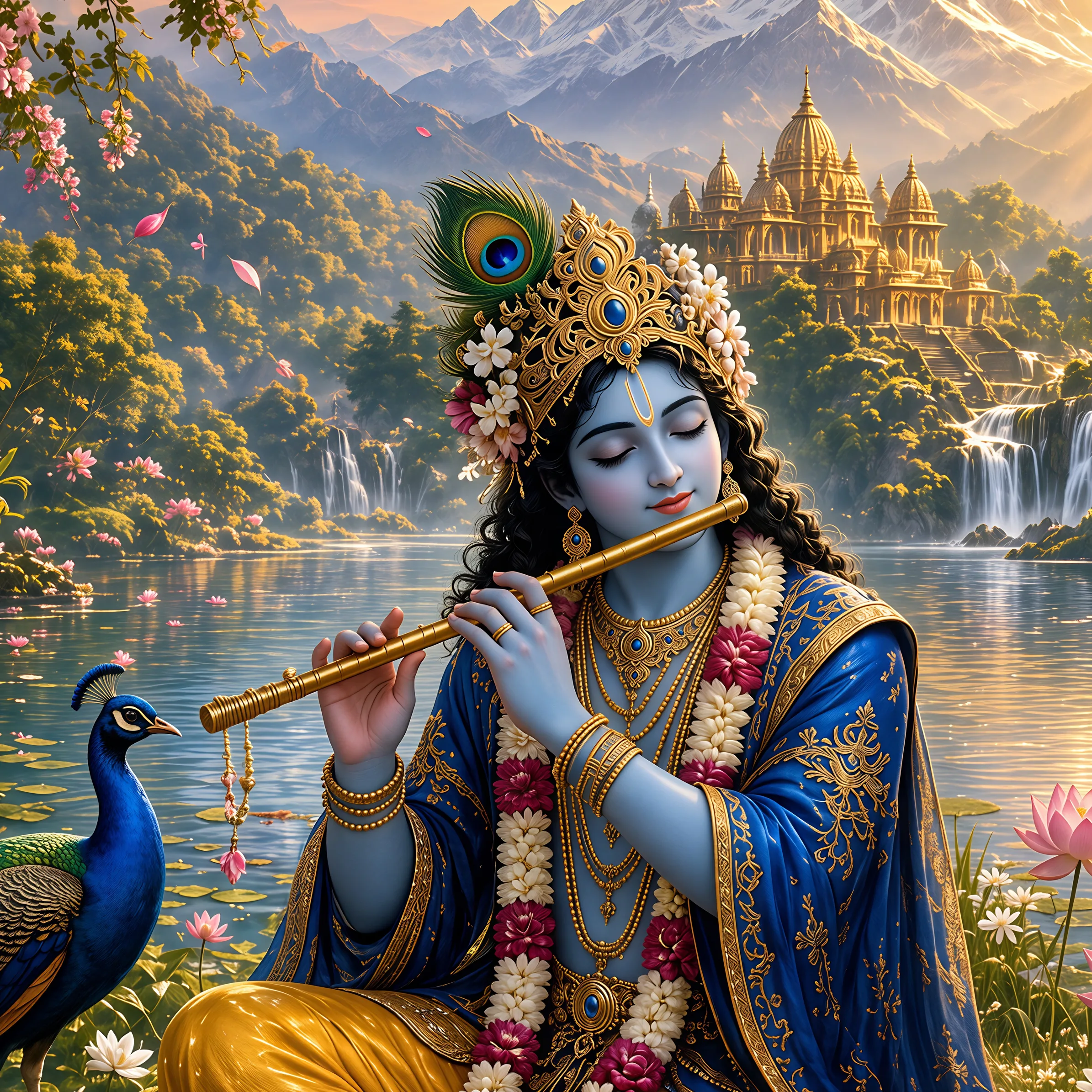
1. Krishna Illustration (336 × 336 to 2390 × 2390)
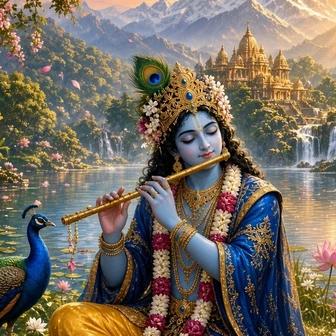
- Look closely: Compare the peacock feather, the flowers in the garland, and the jewelry on Krishna’s mukut (crown). Check the outline of the flute and the expression as well.
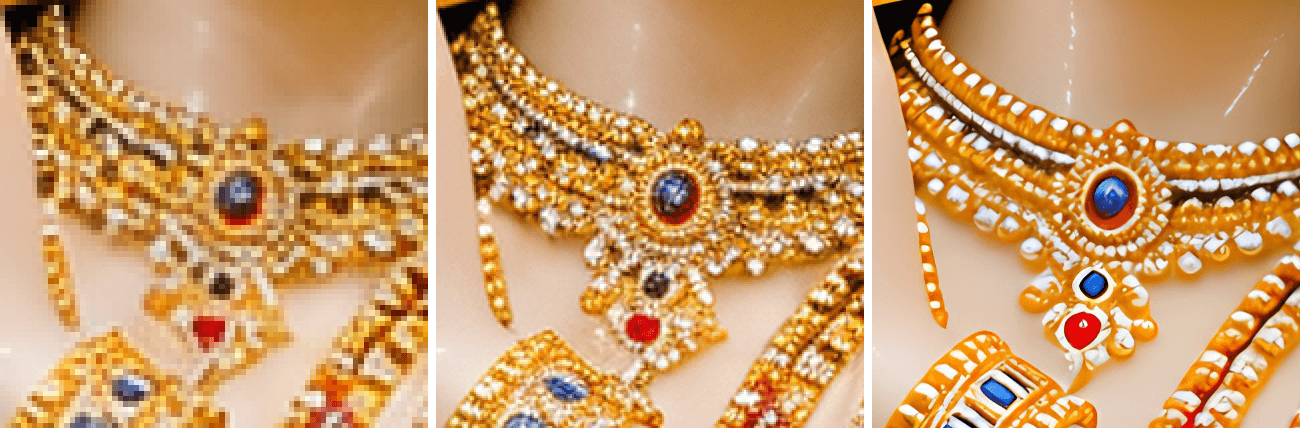
2. Gold Necklace and Gem Settings
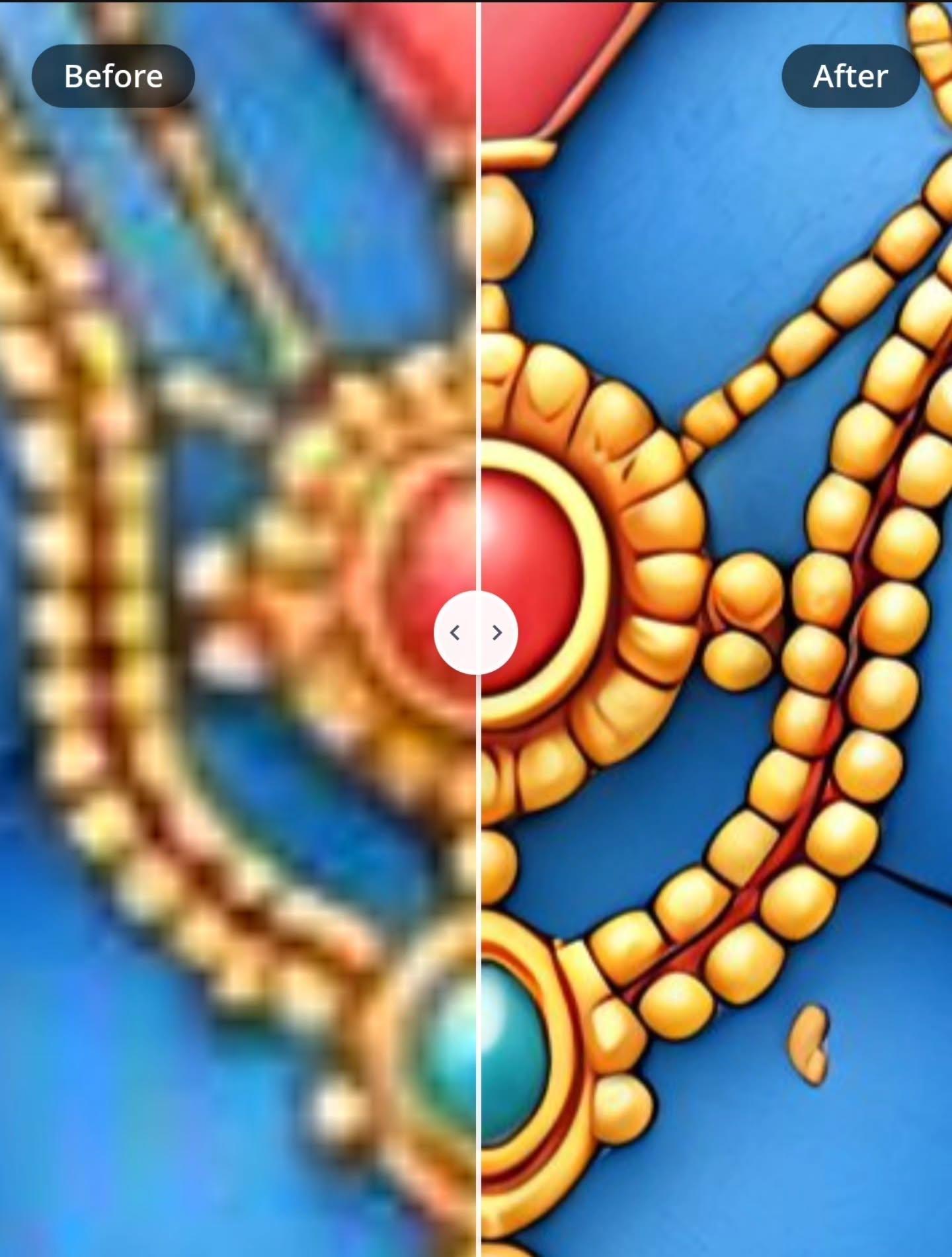
- Look closely: On the left, the gold beads blend together and the rim around the red gem looks soft. On the right, the gaps between the beads and the outlines of the red and green gem settings are easier to see.
3. Shiva Illustration (Face and Forehead Marking)
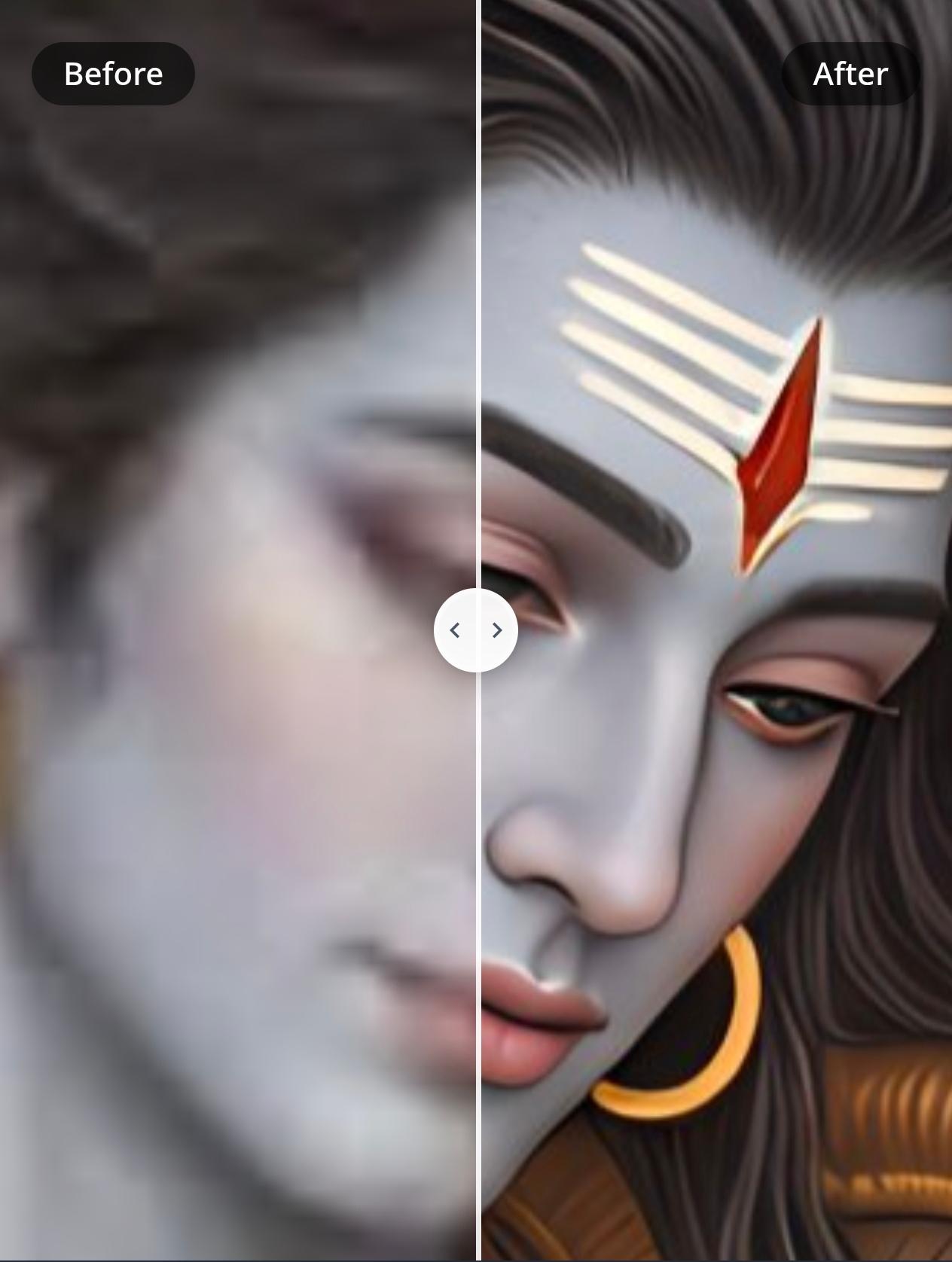
- Look closely: The three white forehead lines (tripundra) and the red tilak stay crisp instead of getting blurred away, while the eyelid and hairline sharpen cleanly without changing Shiva’s expression.
4. Devotional Portrait (Eyes and Jewelry)
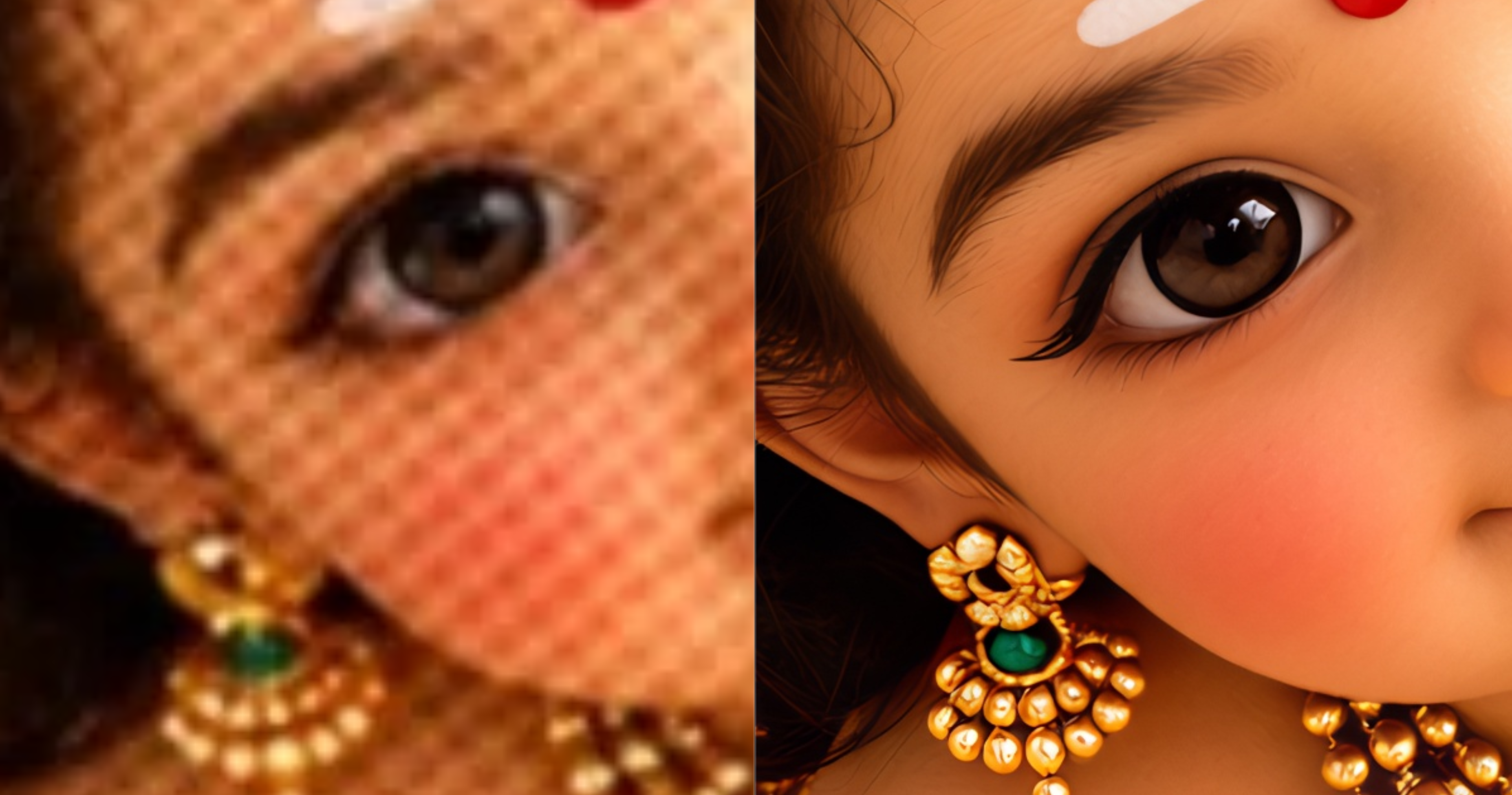
- Look closely: On the left, the eyelashes and the gold setting around the green stone blend into the surrounding texture. On the right, the lashes and individual parts of the earring are easier to distinguish.
Which Settings Should You Pick? (Up to 20MB Upload)
To keep things simple, pick your model first, then pick your scale.
1. Pick the Model
- Use ResLeap V2 (for 95% of images): Best for 1K-2K AI art, WhatsApp or Pinterest downloads, temple murtis (Tirupati Balaji, Khatu Shyam Ji), and classic paintings (Tanjore, Raja Ravi Varma). It cleans up blur and noise while keeping the exact face, tilak, and natural textures.
- Use ResLeap V1 Face Enhancement (backup only): Try this only on very blurry old Guru or altar photos where V2 cannot clear the eyes. Always check the Before & After slider afterward to make sure the face still looks like them.
2. Pick the Scale (2×, 4×, or 8×)
| What You Want to Make | Size You Need | Scale to Pick |
|---|---|---|
| 4K Phone or Desktop Wallpapers | Around 2K to 4K | 2× (if starting at 1.5K-2K) 4× (if starting around 800px-1K) |
Small to Medium Pooja Frames (8"×10" to 12"×18" at 300 DPI) | 3000px to 5400px | 4× (works well for most 800px-1.5K images) |
Large Wall Posters & Canvas (up to 34" at 300 DPI, or 24"×36" at ~284 DPI) | 8K to 10K (up to 10240px) | 8× (for 1K AI art or ~1000px web photos) 4× or 8× (for 2K AI art, up to the 10K max) |
An honest heads-up: If your image is a tiny sub-250px thumbnail (or a full-body photo where the eyes are only a few pixels wide), no AI can truly bring back the real face. Close-up illustrations like the 336px Krishna sample above still hold enough facial data to upscale cleanly, while full-body scenes or old photos work best at 600px+.
Before you hit download, drag the preview slider over the eyes, tilak, fingers, and crown jewelry to make sure nothing looks off. Paid credit packs and plans come with watermark-free downloads and batch processing. Every new account gets free credits to try it out, and if an image ever fails to process, you don’t lose any credits.
Quick Questions (FAQ)
Can I print 1K-2K AI Krishna or Shiva art in large sizes?
Yes. Taking a 1024px-2048px AI render up 4× or 8× in ResLeap V2 gives you 8K-10K (up to 10240px on the long edge). That delivers true 300 DPI pooja room prints up to 34 inches (and ~284 DPI on 24"×36" wall posters) without changing your original artwork.
Which AI upscaler won’t change the face on Hindu god photos?
ResLeap V2 sticks closely to your original pixels instead of redrawing a generic face. It’s built to keep the exact likeness, tilak, and proportions of temple murtis, old portraits, and paintings.
Can I test it for free on a compressed WhatsApp photo?
Yes. ResLeap V2 cleans up WhatsApp JPEG blur around halos and jewelry, and you get free monthly credits when you sign up so you can check the Before & After preview yourself before paying anything.